
 Deutsch
  English

Why use Visio based P&ID Process Designer?
Join us for an exclusive webinar on ‘Why use Visio based P&ID Process Designer?’ The webinar will give you a sneak peek into the key features and benefits of using Visio P&ID Process Designer, a user centric add-on developed for Microsoft Visio Professional software.
What will the Webinar Cover?
- Introduction to ITandFactory and its Product Philosophy
- Why Visio and Visio P&ID?
- User Interface of Visio® P&ID Process Designer
- Leveraging the Power of Visio – To Create Smart & Quick P&ID’s
- How Visio® Process Designer ensures Enhanced User Productivity
- Benefits of AutoSnap, AutoLegend and AutoTagging Capabilities
- Brief Product Demo – Showcasing Usage Scenarios
- Q&A - Interaction with Participants
Speaker Profile
Ashutosh Ojha - Sr. Tech Consultant
Currently works as a Sr. Technical Consultant for CADISON and Visio PID Process Designer (ITandFactory owned IP’s).
His previous experience includes a stint with Bentley Systems as a Technical Consultant and KLG SYSTEL LTD. As a Senior Application Engineer (CES) and Technical Specialist for CAESAR-II (for Pipe Stress Analysis) & CADWorx Plant Pro (for 3-D Plant Design).
Register now or get in touch with us for more information (connect details available below).
More about VP&ID Process Designer:
Visio P&ID Process Designer is an add-on to Microsoft Visio Professional software. It significantly improves the productivity of the user for creating Process Flow Diagrams (PFD’s) and Piping & Instrumentation Diagrams (P&ID’s) in the Visio® environment. It is cost effective, user-friendly and very easy to learn for any Microsoft Office user.
Visio® Process Designer adds intelligence, object-oriented database technology, report generation, document management, revision management and improved drawings generation capabilities for enhanced productivity. It also adds AutoSnap,AutoLegend and AutoTagging capabilities to the Visio® platform.
[accordion] [spoiler title="Leveraging the Power of Visio – To create Smart & Quick P&ID’s" open="No"] [spacer] [row] [column size="1/1" center="no"] 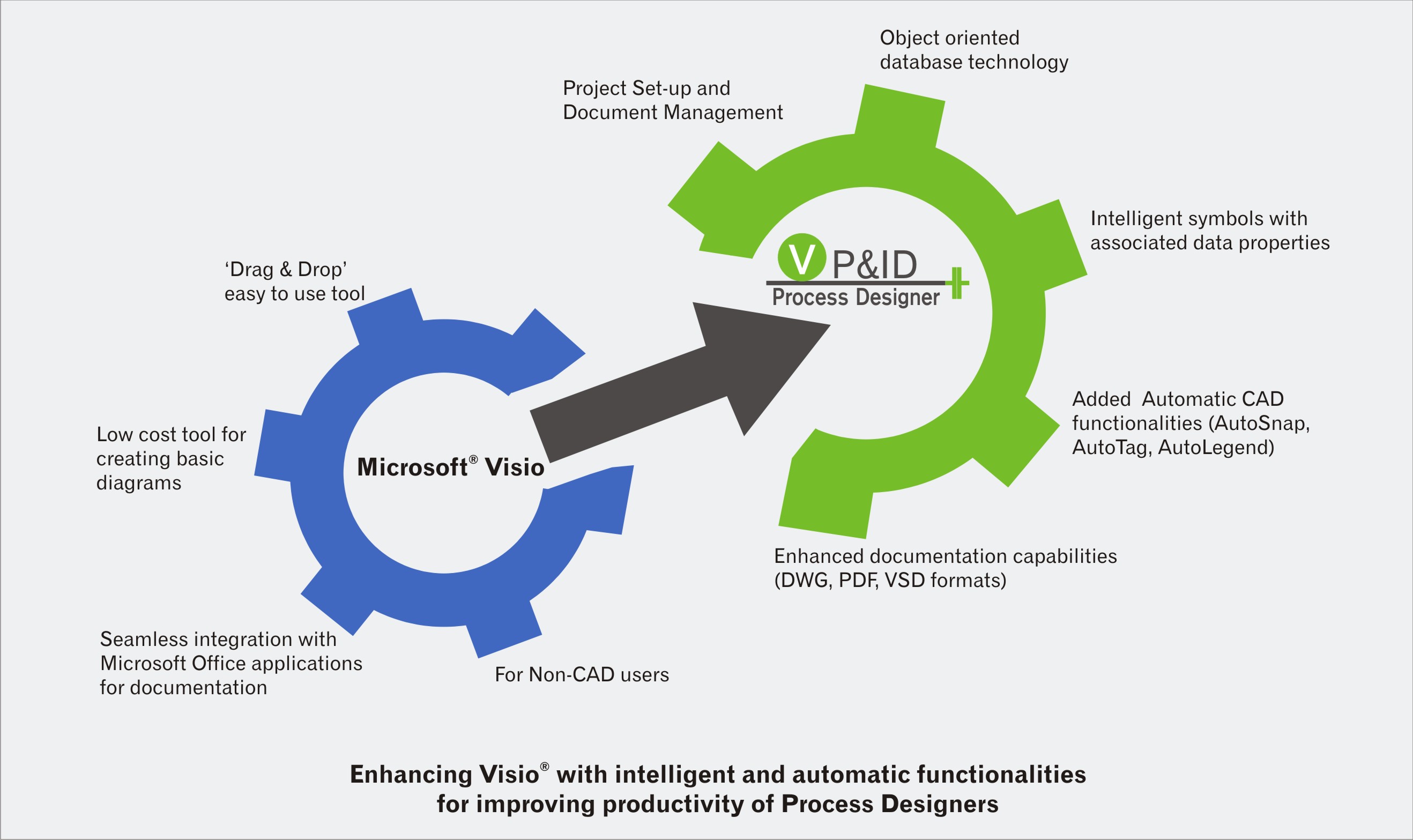 [/column] [/row][/spoiler] [spoiler title="7 Steps to Create P&ID" open="No"] [spacer] [row] [column size="1/1" center="no"]
  [/column] [/row] [/spoiler] [/accordion]



 Date:- May 17, 2017
 Time:- 03:00 PM to 03:30 PM (IST)