
 Deutsch
  English














Microsoft® Visio-based PFD/P&ID Solution
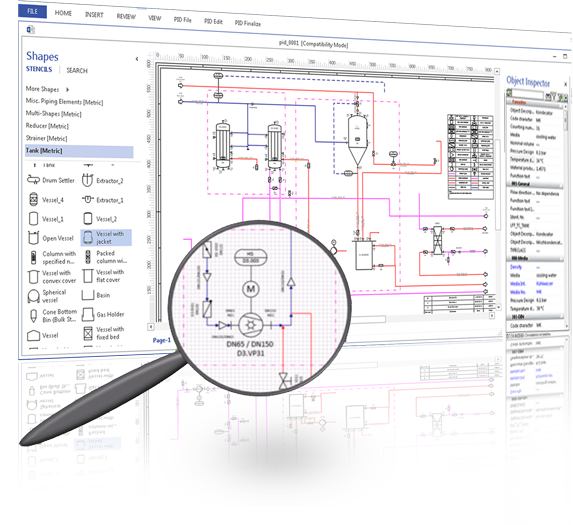
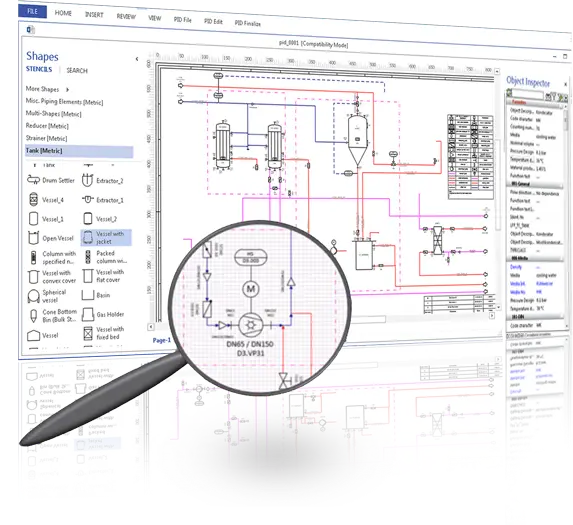
Visio P&ID Process Designer is an add-on to Microsoft Visio software. It significantly improves the productivity of the user for creating Process Flow Diagrams (PFD’s) and Piping & Instrumentation Diagrams (P&ID’s) in the Visio environment. It is cost effective, user-friendly and very easy to learn for any Microsoft Office user.
Visio P&ID Process Designer adds intelligence, object-oriented database technology, report generation, document management, revision management and improved drawings generation capabilities for enhanced productivity. It also adds AutoSnap, AutoLegend and AutoTagging capabilities to the Visio platform.
01
PDM & Data Management
02
Intelligent Symbols & Libraries
03
Automated Tagging & Legends
04
Engineering Calculations
Built-in pipe and pump sizing calculations based on pressure drop, velocity, flow rate, pump power criteria and hydraulic parameters.
05
Quality Check & Validation
06
Import, Export & Collaboration
Get Started with
Visio® P&ID Process Designer
Design smarter, faster, and more consistently with an intelligent P&ID solution built on Microsoft Visio.
Explore the software through a free trial, understand capabilities via a product brochure, see real-world use cases, and experience how Visio P&ID Process Designer works in practice through an interactive demo.